
KSeF Offline Validator — Why It Matters
E-invoices contain tax IDs, amounts, and counterparty data. Uploading them to a third-party server through a browser is a risk you can avoid. Here is why offline validation matters.
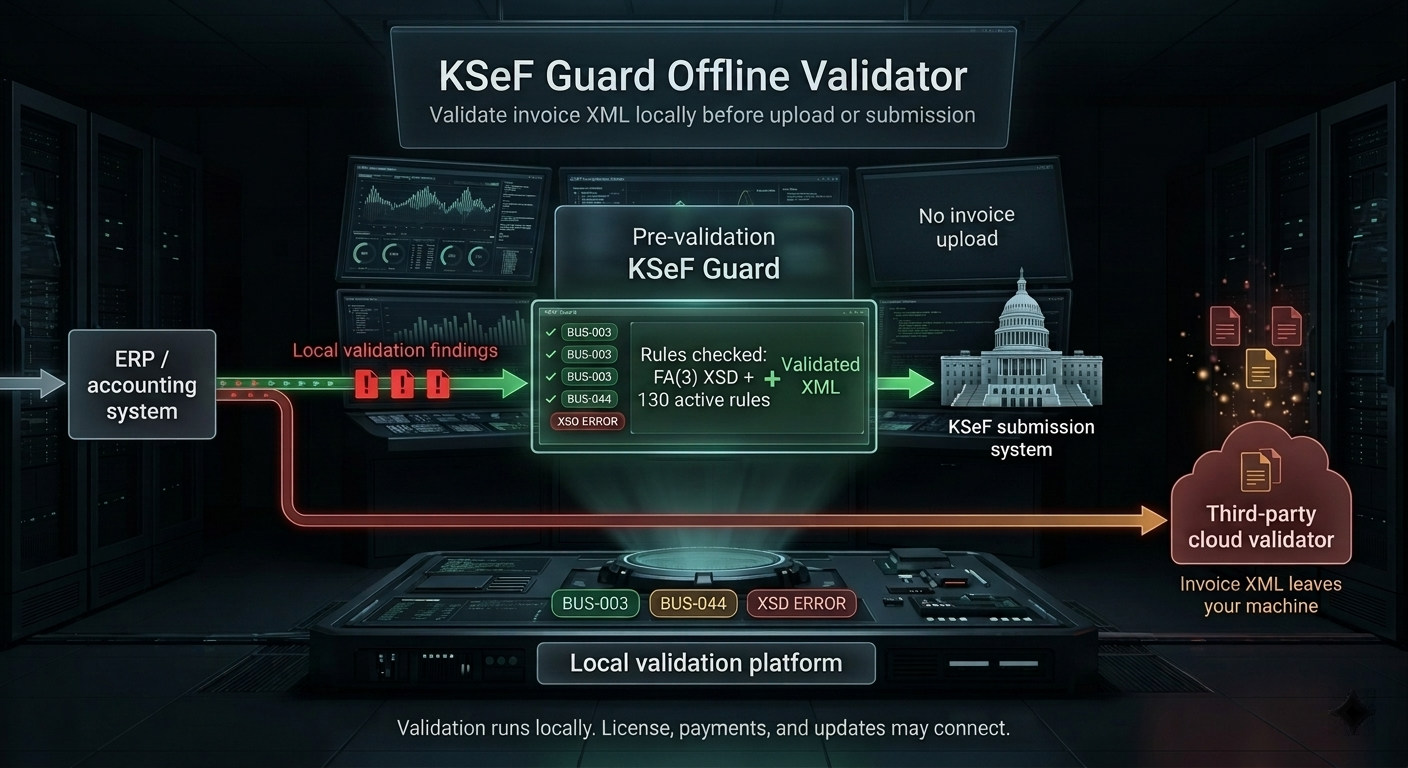
The Problem with Cloud Validators
Most KSeF validators available online require uploading your XML file to an external server. That file contains the full invoice data: seller and buyer tax IDs (NIP), net and gross amounts, VAT rates, descriptions of goods and services.
Even if the service claims it “does not store data,” the act of transmission itself creates risk: data crosses the network, is processed on a foreign server, and may be logged, cached, or intercepted. For accounting firms handling multiple clients, this may raise data-protection concerns under GDPR and risk breaching confidentiality agreements.
The problem also extends to internal security policies. Large companies often prohibit uploading financial documents to unverified cloud services. A free online validator may not meet these requirements.
What Offline Validation Means
An offline validator runs entirely on your computer. The XML file never leaves your disk — it is not sent to any server, does not pass through any API, and is not analyzed in the cloud. The entire validation process (XSD parsing, checking 128 active validation rules, generating reports) happens locally.
KSeF Guard validates without internet access. After installation, you can disconnect your computer from the network and still validate invoices. License activation, payments, and automatic updates may connect, but the core validation engine runs offline. This is the difference between “we don't send data” and “we physically cannot send data.”
No telemetry means the tool does not collect usage statistics and does not send error reports. Invoice XML validation runs locally and does not upload invoice files. Outside the validation engine, license operations, payments, and update checks may contact KSeF Guard or payment infrastructure.
Who Needs Offline Validation
- Accounting firms — handle invoices for multiple clients. Uploading them to an external service risks GDPR violations and breaches of confidentiality agreements.
- Companies with security policies — corporations and institutions that prohibit using unverified cloud tools for processing financial documents.
- CI/CD environments — validation in build pipelines, where XML files are generated automatically and should not leave the build server.
- Air-gapped environments — networks without internet access, e.g., in defense or banking sectors.
Comparison of Validation Approaches
| Feature | Online Validator | KSeF Guard (offline) |
|---|---|---|
| Data leaves your computer | Yes | No |
| Requires internet | Yes | No |
| Telemetry / analytics | Usually yes | None |
| Validation rules | 7–30 | 128 |
| Legal source citations | None | SHA-256 verified |
| Batch processing | 1 file at a time | Up to 5,000/day (Standard) |
| PDF audit report | None | White-label PDF |
Getting Started with Offline Validation
- Download KSeF Guard from ksefguard.pl/en/download (~30 MB MSI installer or portable ZIP)
- Install or extract — the portable ZIP requires no admin privileges
- Drag XML files onto the application window or use the CLI:
ksef-guard validate ./invoices/ - Review results — each error includes a bilingual problem description, fix suggestions, and legal source citations
The free plan allows up to 10 files per day. For accounting firms and companies processing more invoices, Standard (5,000/day) and Pro (unlimited) plans are available.
Market observations based on publicly available tools as of May 2026.
Validation offline • No telemetry • Invoice XML never leaves your computer